Did you ever place a photograph on the net only to watch it transformed into pixelated blur, or a sticker being dilated over it all? It is truly the worst. No matter if the purpose is a blog, Instagram, or even an online store, poor quality and low-resolution images can give the whole thing an unattractive look.
No one will want that. Image enhancement does not mean only increasing its size but also preserving its details, colors, and textures so that it is crisp wherever it goes. And AI has come to our rescue; the process is not so troublesome anymore like struggling with Photoshop for hours.
What Increasing Image Resolution Really Involves
Alright, then. “Resolution” is what people typically think of as merely a pixel count when defining an image. Somewhat true but at the same time not quite. More pixels can be added to an image and if nothing else is fixed, it will just look like a bigger mess. A real way to increase resolution of image means to add detail where there is none, to fill in textures and edges so that the image looks natural when it is enlarged.
And now, the AI arrives. Random guessing is out, analytical image study, and learning of patterns, colors, and textures, followed by intelligent filling in of the blanks to unblur image details, are in. In this manner, a small 400×400 picture may be rescaled multiple times without turning into a pixel mess. This feature is particularly advantageous for the internet, where the quality of images can either attract or repel visitors.
How AI Image Upscaling Improves Image Resolution
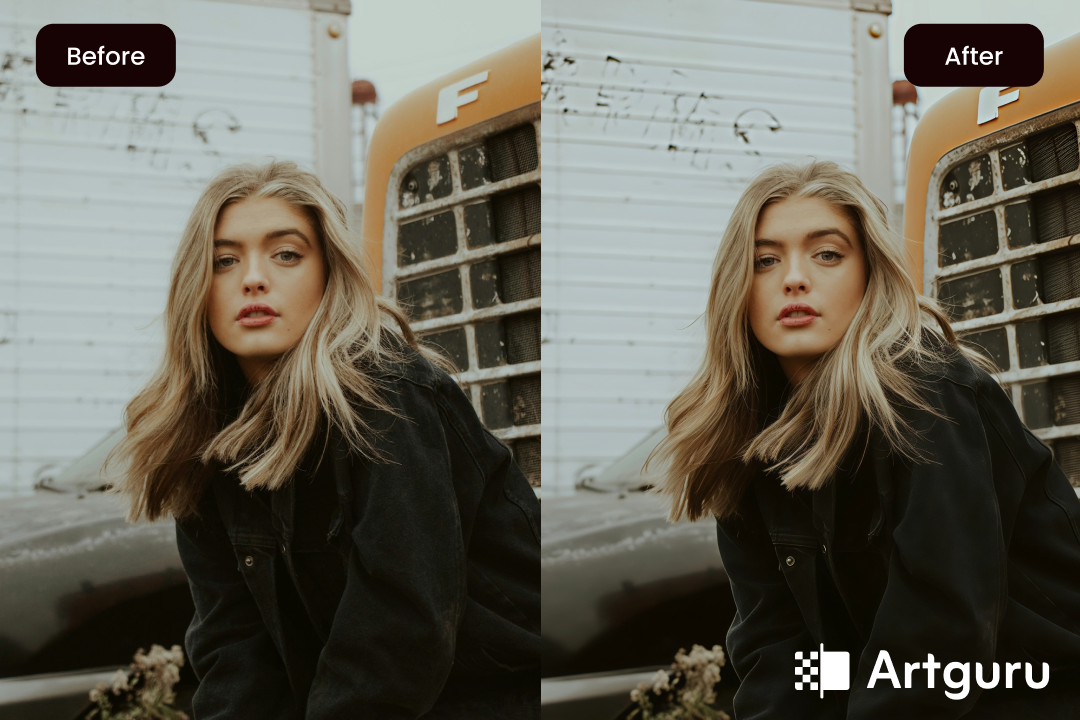
Here’s where Artguru comes in. AI upscaling like Artguru’s doesn’t just stretch images—it reconstructs them. It looks at faces, edges, textures, even subtle details like strands of hair or background patterns and restores them intelligently. Basically, it’s like giving your image a makeover without anyone knowing you fiddled with it.
And unlike older software that produces obvious artifacts or oversharpened chaos, Artguru keeps it looking natural. Colors stay balanced, edges crisp, and details preserved. You can upscale for online shops, social media, blogs, or even printing smaller posters—whatever your use case, AI has your back.
Step-by-Step: How to Increase Image Resolution with Artguru
This is how you can increase the image resolution easily and without any hassle with Artguru:
Step 1: Upload the Image You Want to Upscale

Go to Artguru’s website and click Select photos. You can use practically anything: social media posts, screenshots, old scans, product photos. Artguru automatically detects what kind of image you’ve uploaded and chooses the best enhancement model for it. No need to fiddle with confusing settings.
Step 2: Let Artguru Increase Image Resolution Automatically
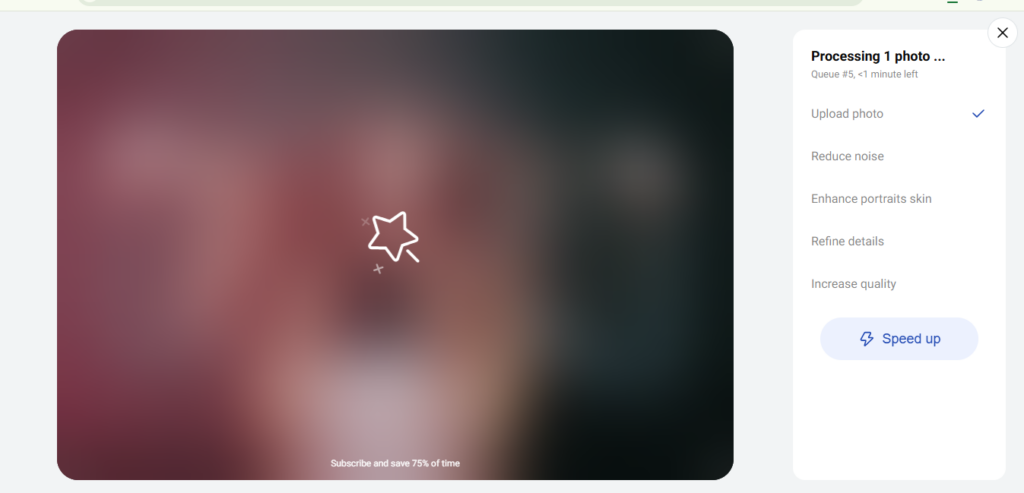
In just a few seconds, the AI will:
- Upscale the image while keeping edges sharp
- Restore lost textures and details
- Remove minor noise or grain that comes from enlarging
- Keep colors natural and vibrant
Artguru basically reconstructs what the camera missed the first time around. It’s like giving your image a superpower without making it look artificial.
Step 3: Download the High-Resolution Image

As soon as the procedure is done (typically in less than 30 seconds), the new high-resolution image is available for download. There are no more concerns with blurs and jagged edges when you post, use it in presentations, or print it. If you have a batch of images that require upscaling at once, Artguru also assists with batch processing.
When Increasing Image Resolution Is Most Useful
You might be wondering, “When do I even need this?” Well, here’s a few scenarios:
- Social media content – Small images often lose quality when platforms compress them. AI upscaling keeps them sharp.
- E-commerce product photos – Crisp images sell more; customers notice the difference.
- Blogs or websites – High-quality images boost credibility and reader engagement.
- Old or scanned photos – Restore memories from old prints and make them look modern.
- Marketing materials – Posters, flyers, banners—everything benefits from clean, high-res visuals.
In essence, whenever you need an image to appear professional on the internet without the hassle of redrawing or manually editing for hours, AI upscaling comes to your rescue.
Conclusion
The process of enhancing image resolution does not simply involve making files bigger; on the contrary, it is a process that brings about an increase in the quality of images. AI tools such as Artguru have converted what was once a lengthy and skilled process to a simple matter of one or two clicks and a few seconds. By using the technology one can recover vanished details, clarify borders, and change pixelated images into clear and quality visuals that can be used for the web, social media, or printing. There is no need to get excited next time when a small or fuzzy image puts your project at risk; simply give it to Artguru and it will be returned to you looking clearer than you ever thought.